Why laptops are getting more expensive?

If you’ve noticed that laptops and desktops seem to cost more than they did a few years ago, you’re not imagining it.
Across the market, device prices are rising. Not just because of inflation, but because memory is becoming scarcer and more expensive, while modern software demands more from the hardware underneath it. At the same time, many organisations still confuse memory with storage, which often leads to under-specced devices, slower performance, and unexpected upgrade costs later.
In short: understanding memory vs storage helps organisations plan hardware refreshes properly, avoid false savings, and budget with confidence.
What you’ll learn:
Why laptops and devices getting more expensive?
The main driver behind rising device costs is memory availability and demand.
Modern operating systems, security tools, browsers, and collaboration software all require more memory to run smoothly. But the issue goes beyond everyday software. Large data centres are now purchasing vast quantities of memory to support AI workloads, driven by companies such as Microsoft, Google, and OpenAI.
This surge in demand has reduced availability in the wider market and pushed prices up for everyone else.
According to reporting from the BBC, memory components have seen sharp price increases as supply tightens and demand from AI infrastructure accelerates, with knock-on effects across consumer and business hardware markets. This is contributing directly to higher baseline costs for laptops and desktops, including entry-level business devices.
Source: BBC News – global memory pricing and AI demand
The practical impact is simple. Manufacturers are producing fewer genuinely low-spec machines, and the minimum specification for a “business-ready” device has increased.
For organisations planning device upgrades over the next 12–24 months, this means hardware budgets are unlikely to fall. In many cases, factoring upgrades into plans earlier helps avoid surprise increases later.
Memory vs storage explained in simple terms
This is where confusion often creeps in.
What is memory (RAM)?
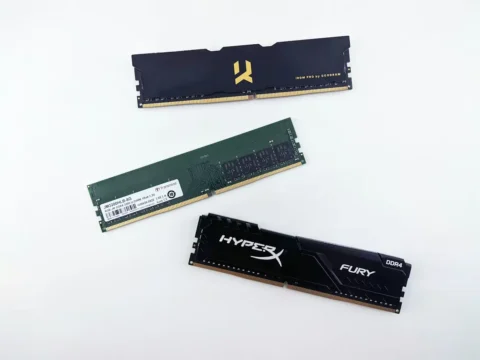
Memory, also known as RAM, is what your device uses to actively run applications. It affects how quickly your laptop can open programs, switch between tasks, and cope with multiple tools running at once.
More memory means:
- Smoother multitasking
- Faster performance under load
- Better handling of modern security and collaboration tools
Memory cannot always be upgraded later, so choosing the right amount upfront matters. On many Apple devices, memory is fixed at purchase. While most Windows laptops do allow upgrades, doing so later can introduce extra cost, downtime, and compatibility issues. In practice, upgrading memory after deployment is often more disruptive than planning capacity correctly from the start.
What is storage?
Storage is where your files live. Documents, emails, photos, and downloaded data all sit on storage.
More storage means:
- More space for files
- Better long-term capacity
Storage does not significantly improve performance on its own.
A helpful way to think about it is this:
Memory is your desk. Storage is your filing cabinet.
A bigger filing cabinet does not help if your desk is too small to work on.
Why cloud storage does not reduce memory requirements
A common assumption is that moving files to the cloud reduces the need for higher-spec devices.
Cloud storage is excellent for collaboration, backups, and secure access to files. But it does not reduce the amount of memory your device needs to operate effectively.
Applications still run locally. Browsers, spreadsheets, video calls, security tools, and line-of-business software all rely on memory to function smoothly. If a device does not have enough memory, performance issues will appear regardless of where files are stored.
This is why organisations sometimes invest heavily in cloud tools yet still experience slow or frustrating performance on older or lower-spec machines. Cloud storage supports modern working, but it does not replace the need for adequately specced hardware.
The hidden cost of under-specced devices
Choosing the cheapest available specification can feel like a saving at the time, but it often creates hidden costs later.
Under-specced devices typically lead to:
- Slower productivity
- More support tickets
- Shorter usable lifespans
- Earlier replacement cycles
Cheaper devices are also more likely to ship with home editions of operating systems, which may not be suitable for business use. This can result in additional licensing costs, upgrade work, or limitations around security and device management once the device is in use.
Over time, these factors can cost more than buying the right specification upfront, even when the original purchase felt sensible.
What this means for budgeting and refresh planning
As laptops and desktops become more capable, planning matters more than ever.
Rather than reacting when devices struggle, many organisations are now:
- Reviewing refresh cycles every three to four years
- Planning specifications based on real usage, not job titles
- Budgeting for gradual upgrades instead of one-off replacements
Factoring rising memory pricing and requirements into your IT budget helps avoid surprise costs and ensures devices remain usable throughout their lifecycle. This is particularly important if you are budgeting for 2026 and beyond, where baseline specifications are unlikely to decrease.

How CYAN helps remove the guesswork
When organisations source devices through CYAN, the goal is not simply to buy hardware. It is to ensure each device is fit for purpose from day one and remains reliable throughout its lifespan.
We support this by:
- Advising on the right specification based on how your team actually works
- Ensuring devices are set up cleanly, without unnecessary software
- Handling warranties and manufacturer issues directly
This removes friction for your team and helps avoid costly mistakes around under-specification.
When it is worth reviewing your device plans
It may be time to review your approach if:
- Devices are over three years old
- Staff regularly report slow performance
- You are planning growth or role changes
- You are building a budget for the next 12–24 months
A review does not mean replacing everything. Often it simply means planning ahead with clearer expectations.
Plan calmly, not reactively
Laptops and desktops are getting more expensive, largely because memory requirements and supply pressures are rising faster than many organisations expect.
By understanding memory vs storage and how pricing is changing, organisations can make more informed purchasing decisions, avoid under-specced devices, and plan hardware refreshes without unexpected cost or disruption.